Minecraft Server Status API
Get the live status of any Minecraft server as JSON: whether it's online, how many players are on, the player sample, version, MOTD, server icon and ping. Works for Java and Bedrock. No key needed.
Quick start
GET https://whiscey.net/api/status/<address>
GET https://whiscey.net/api/status/<address>?bedrock=true
<address> is host or host:port, like mc.hypixel.net or play.example.com:25566. Public IPs work too.
Press Check to see the live JSON.
What you get
| online | true or false. An offline server is still a 200 response. |
| players | online, max and sample (up to 20 {name, id}, if the server shares them) |
| version, version_raw, protocol | Version name without and with color codes, and the protocol number |
| motd | raw (§ codes), clean (plain text) and html (colored spans) |
| icon | The server icon as a data URL, ready for <img src> |
| latency_ms | Ping from Cloudflare to the server |
| srv_record, port | The SRV target if there is one, and the port used |
| source, cached_at | Who answered (ping, mcstatus.io, mcsrvstat.us, minetools.eu) and when |
The full field list and an example response are on the API reference.
Examples
HTML + JavaScript
<p><span id="count">...</span> players online</p>
<script>
fetch("https://whiscey.net/api/status/play.example.com")
  .then(r => r.json())
  .then(s => document.getElementById("count").textContent = s.online ? s.players.online : "Offline,");
</script>
JavaScript (Discord bot)
const s = await fetch(`https://whiscey.net/api/status/${address}`).then(r => r.json());
await channel.setName(s.online ? `🟢 ${s.players.online} online` : "🔴 offline");
Python
import requests
s = requests.get("https://whiscey.net/api/status/play.example.com").json()
if s["online"]:
    print(f'{s["players"]["online"]}/{s["players"]["max"]} on {s["version"]}')
    print(s["motd"]["clean"])
Skript (with skript-reflect)
import:
    java.net.URL
    java.util.Scanner
command /mcstatus <text>:
    trigger:
        set {_json} to new Scanner(new URL("https://whiscey.net/api/status/%arg-1%").openStream(), "UTF-8").useDelimiter("\A").next()
        send {_json} to player
Java
HttpClient http = HttpClient.newHttpClient();
HttpRequest req = HttpRequest.newBuilder(URI.create("https://whiscey.net/api/status/play.example.com")).build();
String json = http.send(req, HttpResponse.BodyHandlers.ofString()).body();
Limits and caching
- No key or sign-up. CORS is open (
Access-Control-Allow-Origin: *). - 120 requests a minute per IP across the status, banner, player and MOTD APIs. Over that you get
429and aRetry-Afterheader. - Each address is cached for 60 seconds. Private and local addresses (localhost, 10.x, 192.168.x and so on) are refused with
403.
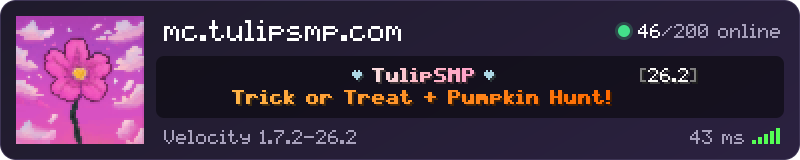
Want it as a picture instead? The server banner draws the same status as a PNG.
FAQ
Is there a free Minecraft server status API?
Yes. Request https://whiscey.net/api/status/<address> and you get JSON back. No key or account.
How do I get a Minecraft server's player count?
Read players.online and players.max from https://whiscey.net/api/status/<address>.
Does it work for Bedrock servers?
Yes, add ?bedrock=true. Bedrock pings go through mcstatus.io because Cloudflare Workers can't send UDP.
How often is the status updated?
Each address is cached for 60 seconds, so you get a fresh ping at most once a minute.
Does it follow SRV records?
Yes. If you don't give a port, the API looks up the _minecraft._tcp SRV record first, like the game does.
Why is my server shown as offline?
The server didn't answer from Cloudflare, mcstatus.io, mcsrvstat.us or minetools.eu. Check the address and port and that enable-status is true in server.properties.